Try it: the real editor, a simulated PLC.
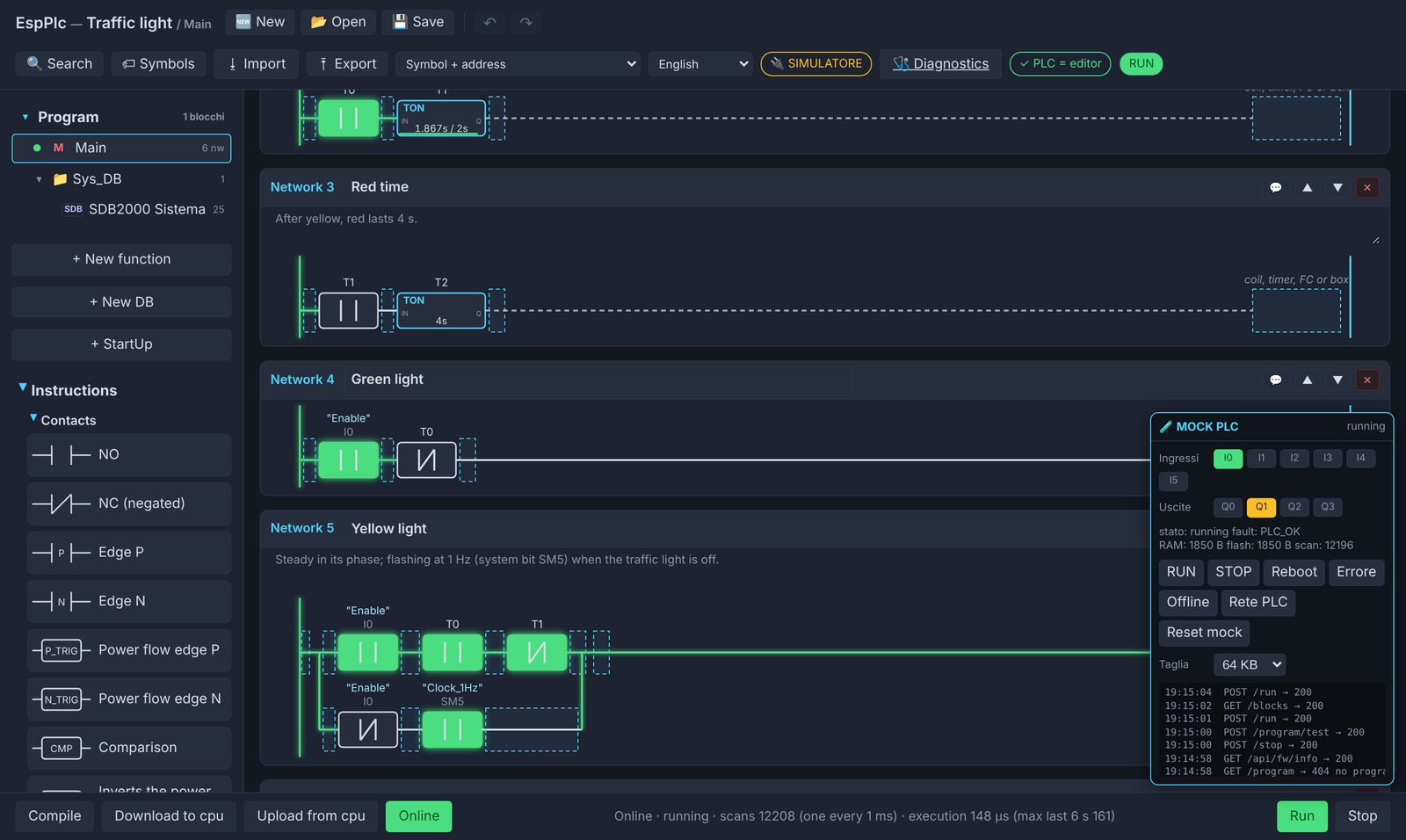
This is the same editor that runs inside the board. Instead of the ESP32 there's a PLC simulated in your browser, with the same virtual machine as the firmware. Write a network, download it, put it in RUN and watch it work.
Opens in a new tab. Ready-made examples are under 📂 Open. Best on a computer: the editor is designed for screen and mouse. The editor opens in English; you can switch language from the drop-down in its toolbar.
Your first program in 2 minutes
- A contactFrom the Instructions column drag an NO contact into Network 1 and type
I0. - A coilDrag a coil to the right and type
Q0. - DownloadDownload to cpu, confirm, then Run.
- WatchOnline, then click
I0in the MOCK PLC panel:Q0turns on.
Inputs and outputs
Click I0…I5 to switch inputs on and off. Outputs Q0…Q3 light up when active.
Just like the board
RUN, STOP, reboot, a fault and an offline board can be simulated from the panel, to see how the editor reacts.
Stays saved
Your program stays in the browser even if you reload the page. Reset mock starts from scratch.
The simulator estimates execution times: real ones are measured on the board. Everything runs in your browser, no data is sent anywhere.