Example projects
Open a project straight in the simulator and watch it work. Inside the simulator you also find them under 📂 Open; for your own PLC, download the .espplc.json file.
How to open an example in the simulator
- Openpress ▶ Open in the simulator under the example (or 📂 Open inside the simulator).
- Confirmif the editor asks to replace the project, answer yes.
- Download and RunDownload to cpu, confirm, then Run.
- Onlinepress Online and switch the inputs on in the MOCK PLC panel.
Motor start / stop
The first program of every automation course: the self-holding circuit. Start runs the motor, its own contact keeps it on, Stop or the thermal overload stop it. A lamp lights up 3 seconds after starting.
- Click
I0(Start) and click again to release it:Q0stays on. - After 3 s
Q1lights up. - Click
I1(Stop) orI2(overload): the motor stops.
Traffic light
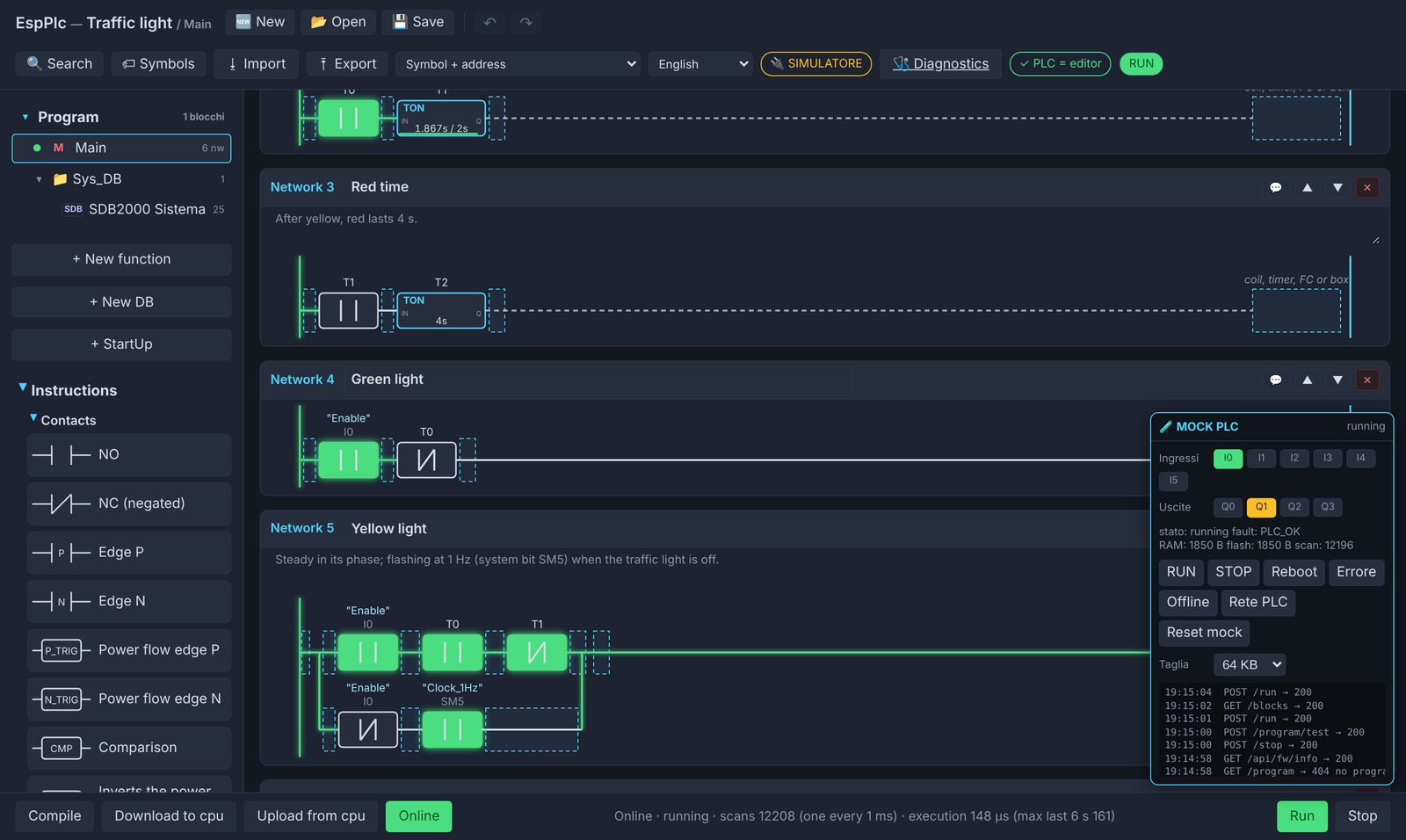
Three cascaded timers run the cycle green 5 s, yellow 2 s, red 4 s. With the traffic light off, yellow flashes using system bit SM5 (1 Hz clock).
- Without touching anything:
Q1flashes. - Click
I0(Enable): the cycle starts onQ0,Q1,Q2. - In Online, watch the timers count inside the TON boxes.
The relay song
Relays can't play notes, but they can play rhythm: Beethoven's Fifth, Jingle Bells and “Shave and a haircut” beaten out on Q0 and Q1.
A step sequencer built with an FC, timers and comparisons. On a real board you hear the relays click. (Comments in Italian.)
- After Run the music starts by itself.
I0: start again from the top.- Open FC10 to see how the sequencer is built.
More examples
Part counter with CTU, tank with analog level and SCALE, recipe in a retentive DB, FC in Structured Text, µLink I/O module with Arduino.
Got an example to suggest? Write to me.